Snapchat, the popular instant messaging and content-sharing platform with over 450 million daily users, has announced a major change — it will now limit free storage for Memories to just 5GB.
The move means users who exceed this limit will have to subscribe to paid plans or risk losing their most recent Snaps.
New Paid Plans Introduced
To retain additional storage, Snapchat has rolled out several paid options:
-
100GB for $1.99/month
-
250GB for $3.99/month (for Snapchat+ subscribers)
-
5TB for $15.99/month (for Snapchat Platinum members)
Users choosing not to upgrade will find their newer Snaps automatically deleted, while older Memories remain accessible — but only until total storage falls below the cap.
Snapchat says it will offer a 12-month grace period for users to back up or delete their data before enforcing the policy.
How to Export Snapchat Memories to Your Camera Roll
Many users are now transferring their Memories directly to their phone’s camera roll — a time-consuming but safe method to preserve their Snaps.
Here’s how to do it:
-
Open Snapchat and tap on the Memories icon.
-
Select up to 100 Memories (the maximum allowed per batch).
-
Tap Export → Download.
-
Repeat this process until all your desired Memories are saved.
Since Snapchat allows only 100 Memories per export, users with large archives may need several rounds to complete the process.
Faster Way: Use Snapchat’s “Download My Data” Tool
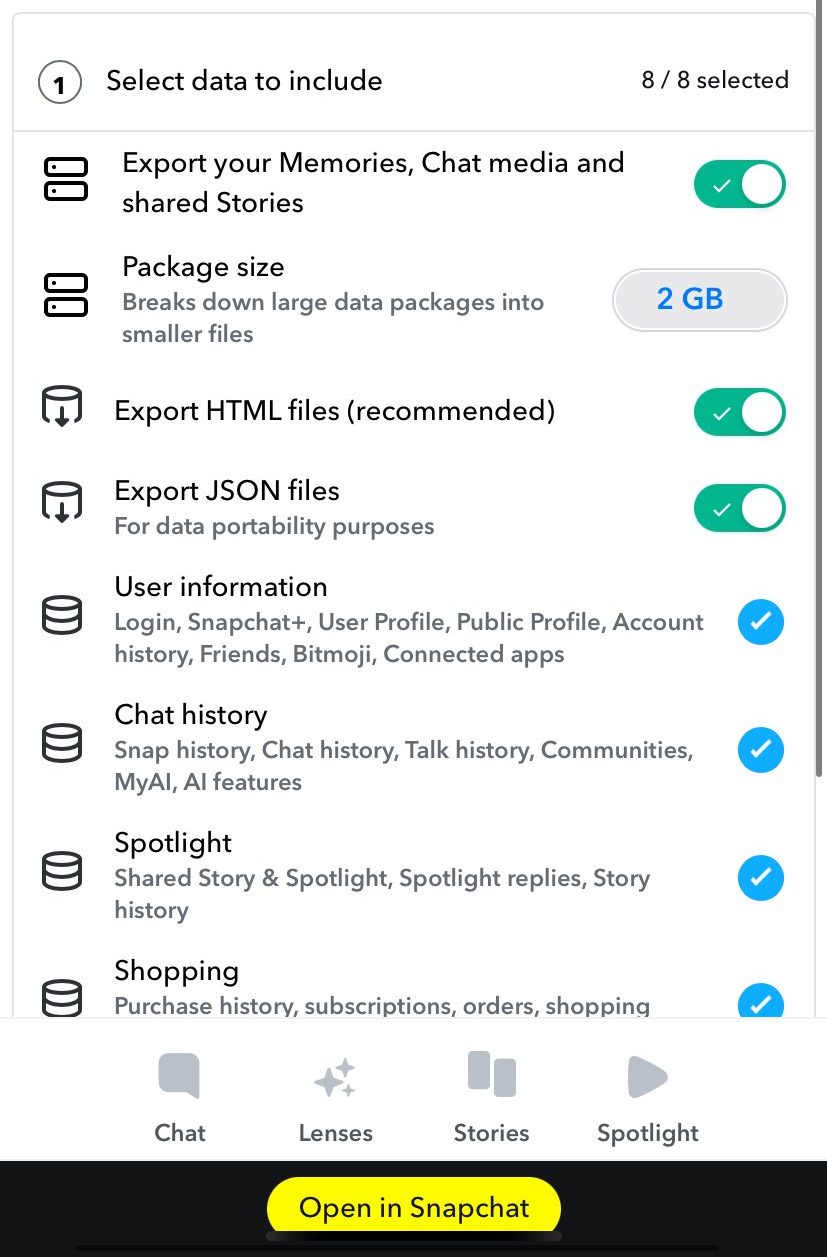
For those who want to back up everything at once, Snapchat offers a “Download My Data” option that sends your entire archive via email in a .zip file.
Steps to use this tool:
-
Go to your Profile → Settings.
-
Select My Data.
-
Check Memories and select both HTML and JSON formats.
-
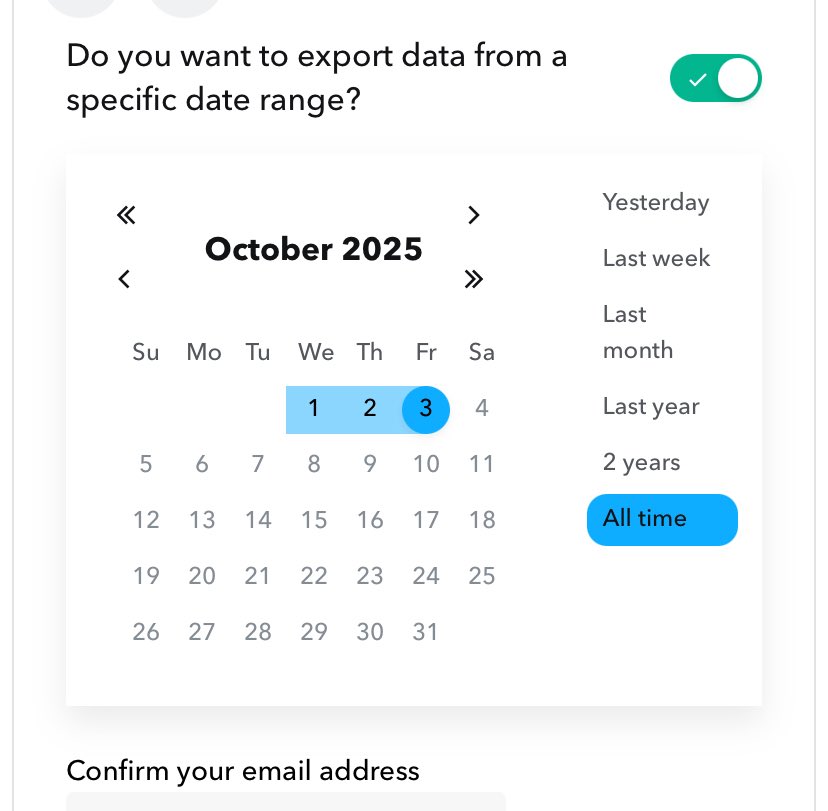
Choose “All Time” as the export range.
-
Confirm your email and hit Submit.
The delivery time varies depending on the size of your Snapchat archive, but once received, you’ll have a complete backup of your Snaps outside the app.








.gif)

.jpg)