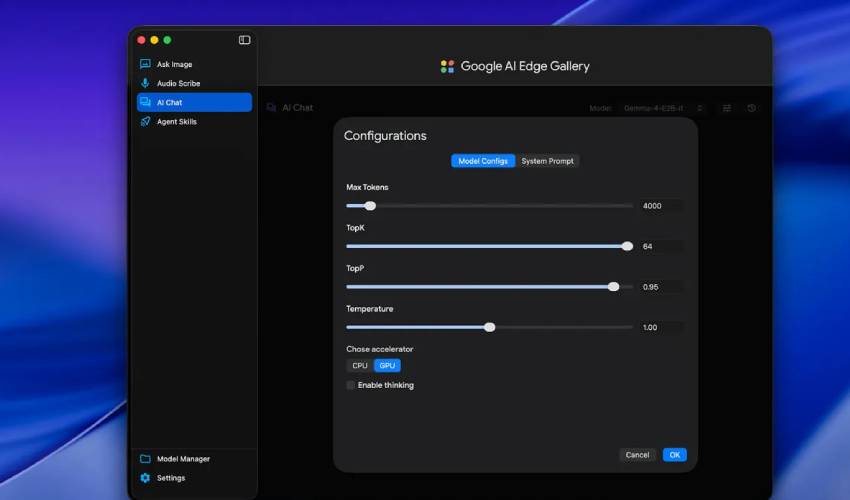
Google has released AI Edge Gallery for macOS, giving Mac users a new way to run AI models directly on their devices.
Unlike cloud-based AI systems such as ChatGPT, Claude, and Gemini, local AI models operate entirely on a user's computer. This means they can function without an internet connection while offering greater privacy because data remains on the device.
Benefits of running AI locally
Local AI models are generally smaller than the massive models that power cloud services, but they offer several advantages.
Users can continue working offline, benefit from faster responses on powerful hardware, and keep sensitive conversations and data from being sent to external servers.
Until now, Mac users typically relied on third-party platforms such as Ollama or LM Studio to install and run local AI models.
Google AI Edge Gallery offers five models
At launch, AI Edge Gallery for Mac supports five of Google's own instruction-tuned models:
-
Gemma-4-12B-it
-
Gemma-4-E2B-it
-
Gemma-4-E4B-it
-
Gemma-3n-E2B-it
-
Gemma-3n-E4B-it
Unlike platforms such as Ollama and LM Studio, which support a wide range of models from different developers, Google's app currently focuses exclusively on its own Gemma family.
Google also introduced Gemma 4 12B, a new multimodal model designed to run on consumer laptops.
According to the company, the 12-billion-parameter model delivers performance comparable to a much larger 26-billion-parameter mixture-of-experts model while remaining capable of running on laptops equipped with 16GB of RAM.
The model supports text, image, and audio processing and is designed for tasks ranging from content creation to software development and data analysis.
New AI dictation app for Mac
Alongside AI Edge Gallery, Google launched AI Edge Eloquent for macOS.
The free application records spoken input, transcribes it, and automatically improves the resulting text by removing filler words, correcting disfluencies, and enhancing readability.
All processing takes place locally on the device, helping to protect user privacy.
Google AI Edge Eloquent also allows users to customize output styles and add frequently used names, technical terminology, and industry-specific jargon.
The feature is intended to reduce transcription errors and improve accuracy for professionals who rely on dictation tools.
Growing focus on on-device AI
The launch reflects a broader industry trend toward running AI models directly on personal devices rather than relying entirely on cloud infrastructure.
As hardware becomes more capable, technology companies are increasingly exploring ways to deliver advanced AI features while improving privacy, reducing latency, and lowering dependence on internet connectivity.
Google AI Edge Gallery is now available for macOS, joining existing Android and iOS versions. The company is expected to continue expanding its lineup of on-device AI tools as demand grows for private, locally processed artificial intelligence experiences.




.jpg)