When Apple markets its iPhones, the camera is always one of the star features — and for good reason. From Instagram influencers to casual users, iPhones have become the go-to device for crisp, cinematic photos and videos.
But like all technology, even these premium camera systems are not immune to failure.
Sometimes, issues are obvious — like a cracked lens — but sensor problems can be trickier to detect. And if you're not paying close attention, they can silently ruin your memories, especially if you're buying a second-hand device or snapping important content.
So how do you know if your iPhone’s camera sensor is failing? Here are four key signs to watch out for — and what steps you can take before heading to a repair shop.
1. Distorted images, unusual colors
Let’s be honest — even the best iPhones aren’t perfect in every lighting condition. But if you’re noticing constant focus issues, strange blurs, or weirdly saturated or washed-out colors in environments where your camera used to perform flawlessly, you might be dealing with a sensor issue.
This isn’t just a fluke. According to hundreds of complaints on Apple’s community forums, users have reported that their iPhone cameras fail to focus in low light or even blur out faces in portraits. In some cases, the images appear soft around the edges or focus on the wrong object.
While autofocus glitches can result from temporary bugs or external accessories (like magnetic lens attachments), persistent image distortion may point to deeper internal sensor faults.
Quick Fix Tip: Remove third-party lens accessories and restart your device. If issues persist, try enabling "Lens Correction" in settings. If nothing changes, it’s likely a sensor issue, not a software glitch.
2. Pink lines, weird flickering, or video glitches
If pink or green lines start appearing on your Camera app preview, or you suddenly notice psychedelic visual glitches when recording video, take it seriously. You might have unknowingly exposed your iPhone to a sensor-damaging source — like a car’s LiDAR system.
A Reddit user recently shared how their iPhone 15 Pro Max began acting like it was on an LSD trip — showing bright color streaks and flickering lines — after recording a LiDAR-equipped vehicle like the Volvo EX90.
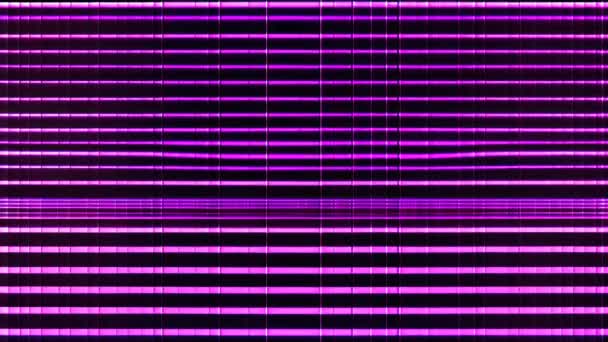
Similarly, YouTube tech reviewer Out of Spec BITS recorded proof of how LiDAR systems can damage phone sensors. This phenomenon, often misunderstood, is becoming increasingly common with the rise of vehicles using laser-based technology (also seen in models like the Mercedes-Benz S-Class and Polestar 3).
Pro Tip: Avoid pointing your iPhone camera directly at unfamiliar car tech, security cameras, or powerful IR systems. Damage from invisible laser beams can be permanent — and isn’t covered under typical warranties.
3. Black screen when opening camera app
You open your Camera app and… nothing. Just a black screen. Maybe the flash doesn’t work either. Don’t panic just yet — the infamous “black screen of death” can often be resolved by a quick force restart.
However, if the camera works sporadically or fails consistently across all apps (Instagram, Snapchat, WhatsApp), then you're likely dealing with a sensor or camera module failure.
![iPhone Camera Not Working / Black Screen [ ✓ Solved ] - Alvaro Trigo's Blog](https://alvarotrigo.com/blog/wp-content/uploads/2024/06/unnamed-file.jpg)
Sometimes, the issue stems from low storage. When your iPhone is nearly full, the camera can become sluggish or fail to launch entirely — a surprisingly common culprit, especially on 64GB and 128GB models.
💡 Try This First:
Check your storage in Settings > General > iPhone Storage
Clear out large files or enable iCloud
Remove cases that may obstruct the lens
If problems persist across multiple apps, your hardware might be to blame
4. Frequent Camera app crashes
Let’s say your camera works — but it crashes randomly or behaves weirdly in third-party apps. This could be a compatibility issue or an early warning sign of a failing sensor.
In 2022, a bug caused the iPhone camera to crash only in apps like Instagram and Snapchat, leaving the default camera app unaffected. More recently, hundreds of iPhone users have reported glitching across apps, a symptom of software instability — or possibly even malware on jailbroken devices.
What You Can Do:
-
Delete and reinstall problematic apps
-
Update to the latest iOS version
-
Reset all settings (without deleting data)
-
Scan your device for potential malware or risky profiles
-
If crashes continue, it might be a deeper hardware fault related to the camera sensor
Before you panic — try these quick fixes
Sometimes, it’s not your sensor — it’s something silly:
-
Clean your camera lenses with a microfiber cloth. Dust, oil, or fingerprints can cause autofocus and blur issues.
-
Remove any magnetic cases or clip-on lenses.
-
Update iOS: Bugs in the software can affect camera performance.
-
Restart or Reset Settings: This can clear minor system hiccups.
When to seek professional help
If all else fails, don’t waste time guessing. Your iPhone might be part of a known defect batch.
Apple has acknowledged camera module problems in some iPhone 14 Plus models manufactured in 2023–2024. You can check your eligibility for a free repair using your serial number on Apple’s Service Program page.
Also, check your warranty status under Settings > General > About > Coverage — or contact Apple Support directly.
Important Reminder: Always use Apple Authorized Service Providers. Unlicensed repairs can damage waterproofing or void your warranty permanently.
The iPhone camera is one of the best in the game — until it isn’t. Whether you’re documenting your travels, filming content for socials, or just trying to capture your dog doing something funny, a failing sensor can turn your experience into frustration.
Keep an eye out for these four signs — distorted images, glitchy video lines, black screen errors, and frequent app crashes. Addressing them early can save you from expensive repairs or lost memories.
And if your iPhone is still under warranty or included in a known recall, don’t hesitate — get it checked before the damage becomes irreversible.